

I’ve been continuing to work to improve at using AI for programming. There are a couple of issues that I find I repeatedly run into now:
My usage of AI can easily result in very large pull requests that are difficult to review.
AI review tools are great, but can result in a large amount of feedback that is then difficult to address.
Over the past few days I think I’ve started to make progress toward solutions for both these problems, starting with the too-much-feedback issue.
In the past, I’ve felt that I had two options for addressing the occasional avalanche of AI code review feedback:
Address the feedback myself locally, one-by-one, which could be very time intensive even when using AI tools.
Ask GitHub Copilot coding agent to address all the feedback on the PR in one go, which results in a new potentially large PR against the original PR that I have to review.
After publishing my dotfiles, I found myself creating helper scripts to make it easier for me to address feedback left on my PRs one at a time. And it really started helping speed up the process.
pr-feedback along with a
—limit 1flag to get just one piece of feedback from the PRpr-comment to comment on the feedback if appropriate
resolve-feedback to resolve the feedback once I was done addressing it
I was using these scripts within Warp, so the workflow started to look like:
Use pr-feedback to get the next item of feedback to address
Ask Warp to address the feedback
Review what Warp did
Once satisfied, commit and push the fix
Use resolve-feedback to mark the feedback as resolved on the PR
This too, though, started to feel repetitive, since it meant I was starting to spend a good percentage of my time running scripts and coming up with commit messages.
The solution: Warp saved prompts.
I’ve created a prompt that tells Warp to do most of that stuff above, leaving me to simply review the code and then give Warp the go-ahead once I’m satisfied with the fix. Warp runs the scripts and makes the commits, and the prompt instructs Warp to immediately move to the next piece of feedback once we’re done with the last.
And reviewing the code is super convenient since Warp has a built-in code review pane that I can keep up next to the terminal window where the workflow is running.
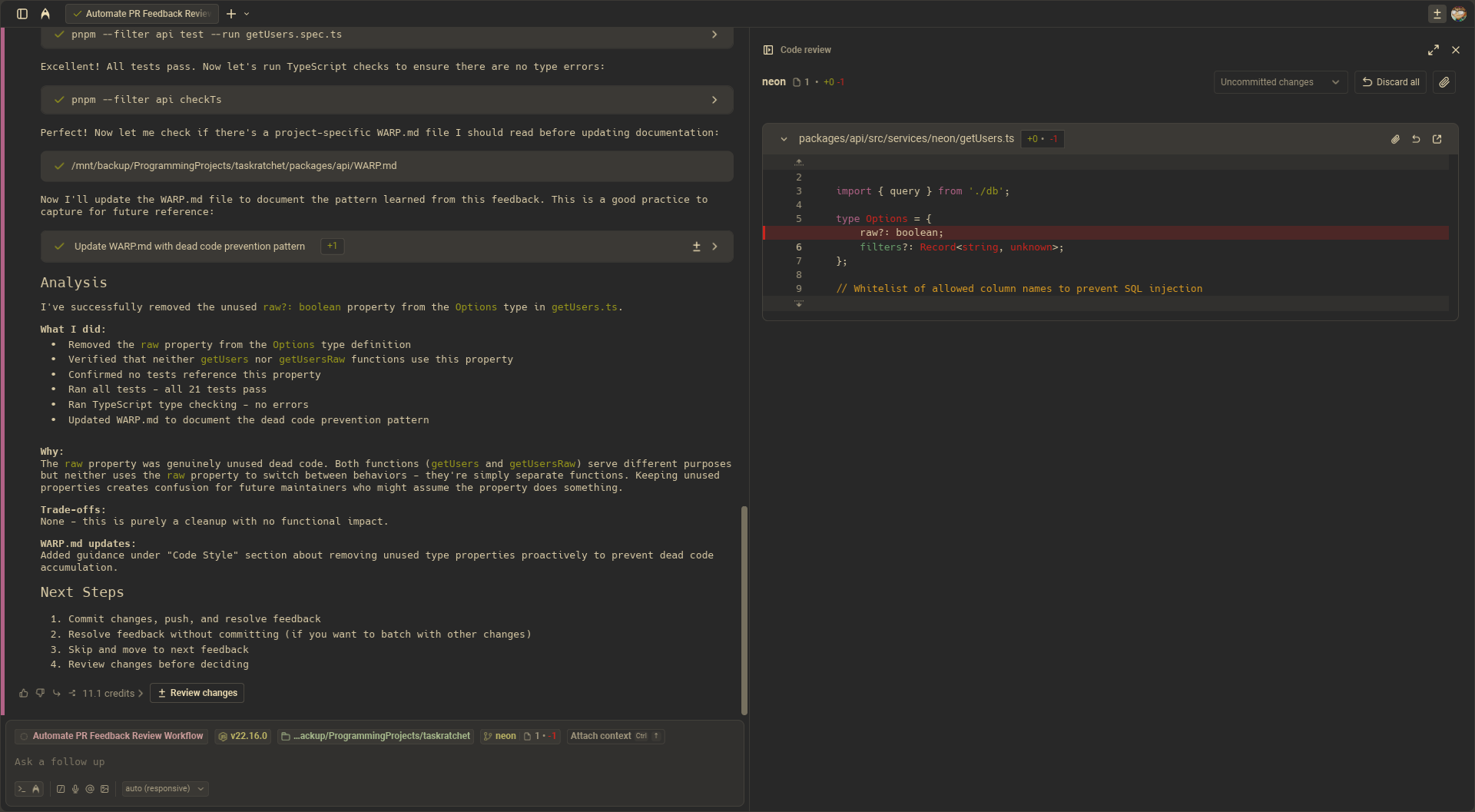
I’ve also asked Warp to number the options it provides for how to proceed. So once I’m ready to move forward, I usually can simply input the number for the appropriate option. Or, if no option quite fits, provide a number with a modification, like:
“1, and also create a follow-up issue for X.”
With this in place, addressing AI feedback (or human feedback for that matter) becomes incredibly efficient. Here’s the full prompt if you’re interested in trying it out.
I’m still working on solving the first issue—taking a large PR and breaking it down for easier human review. I know this isn’t a new problem (and one that I already had before starting to use AI tools) but with the help of AI it’s only become more important for me to figure out.